Skip to content
CoreCommerce allows you to customize shipping rates based on order quantity. To configure quantity-based shipping:
- Log in to the admin panel of your online store.
- Click on the gear icon upper right-hand corner → Shipping settings
- Click on Setup Shipping Zones > EDIT the Shipping Group you would like this method in.
- Select “Order Quantity” → click Configure
- Now you will need to name your Method. Typically the name indicates the Carrier’s product title. e.g. “Priority” or “First-Class”.
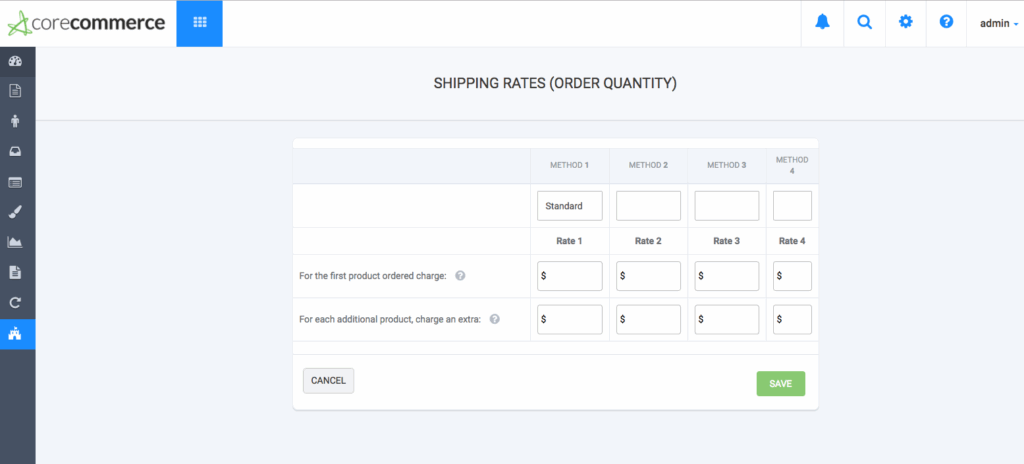
- This menu allows you to input multiple Rates. Complete cost for first item and additional items.
- Click Save
Scroll To Top

